From hours
to invoices.

A time tracker for independent contractors that turns logged hours into clean, correct invoices.

Run a timer or write the hours down. Hobbs rounds them, prices them at your rates, and builds a PDF invoice for each client's billing period, ready to email, AirDrop, or save. Your first invoice is free.

Coming soon to the App Store
FROM HOURS TO INVOICES Hobbs 1 0 9 9 8 HOURS

Track it. Price it. Invoice it.

The hours you log become the invoice you send, with nothing retyped in between.
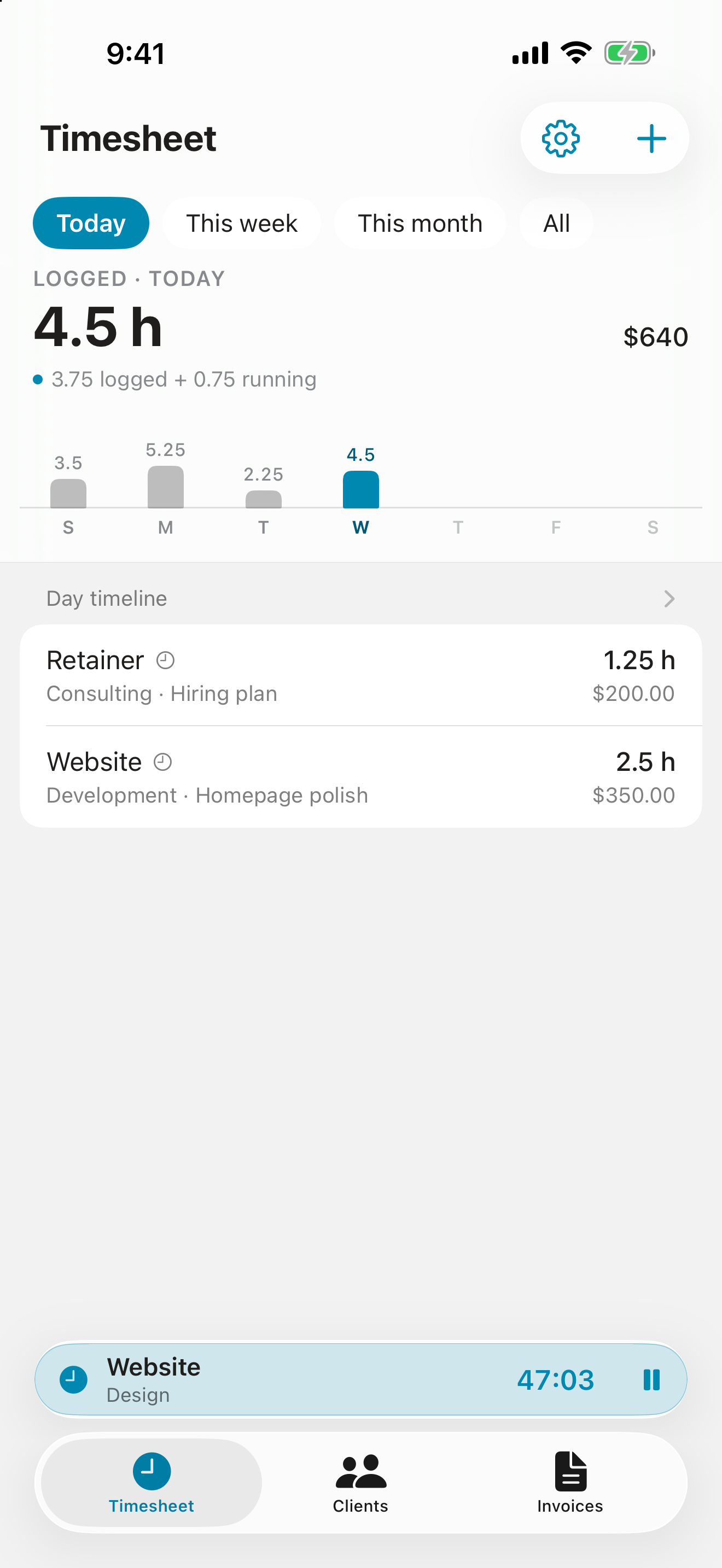
Timesheet, today: 4.5 hours logged including a running timer, an hours chart for the week, and today's entries with what each bills

The Timesheet

Today's hours, and what they bill.
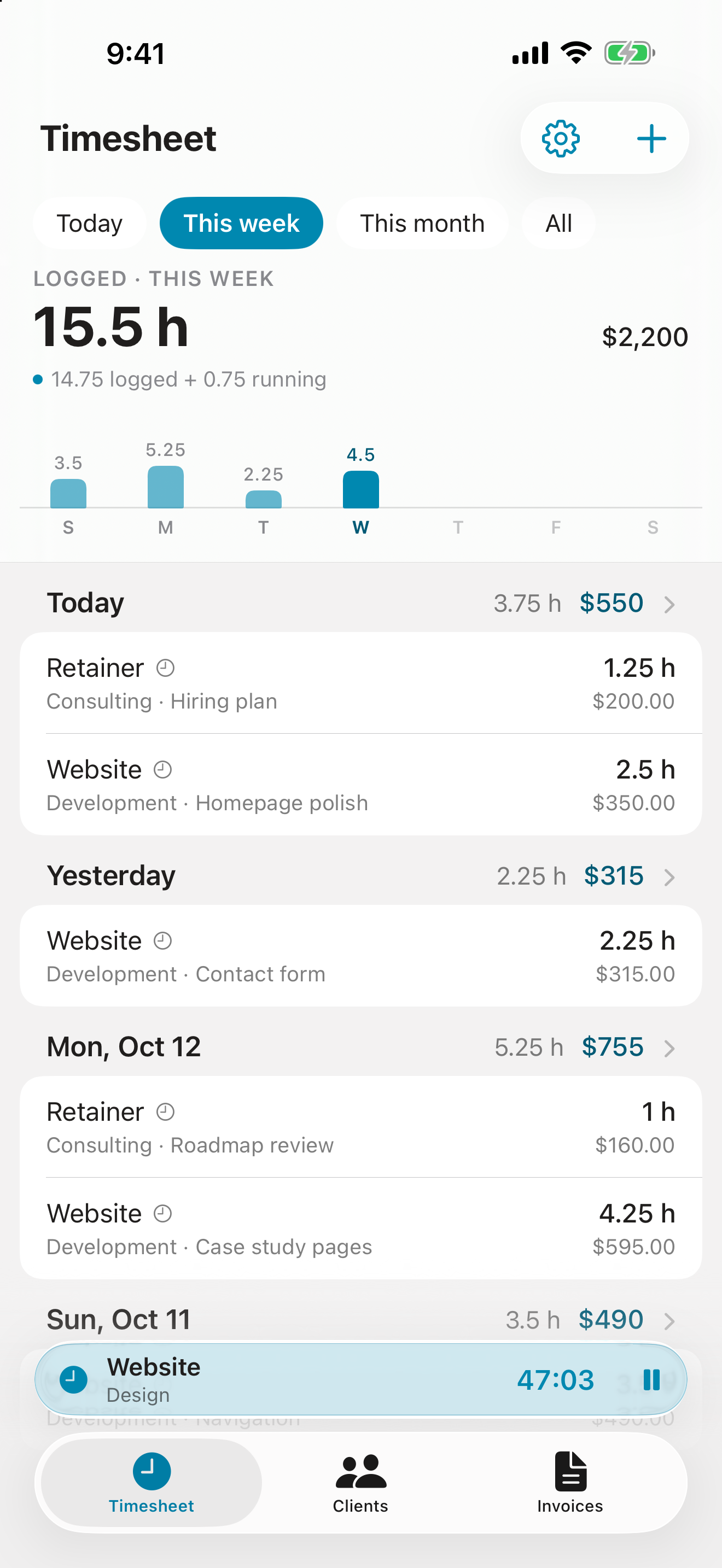
Timesheet, this week: 15.5 hours logged, with each day's entries and totals

The Week at a Glance

Every day, its hours and its total.
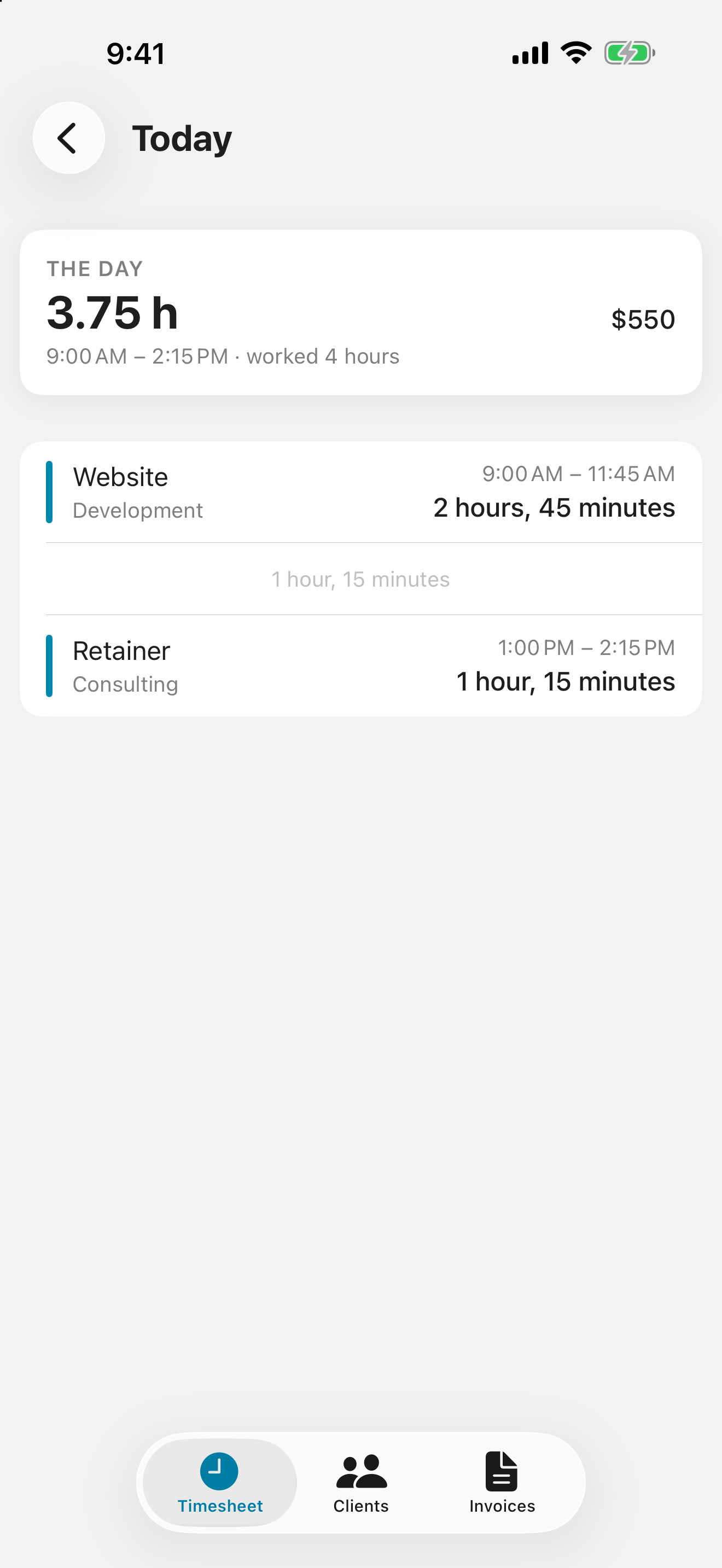
Day timeline: each stretch of work in the order it happened, with the gaps between them

The Day Timeline

How the day really went.
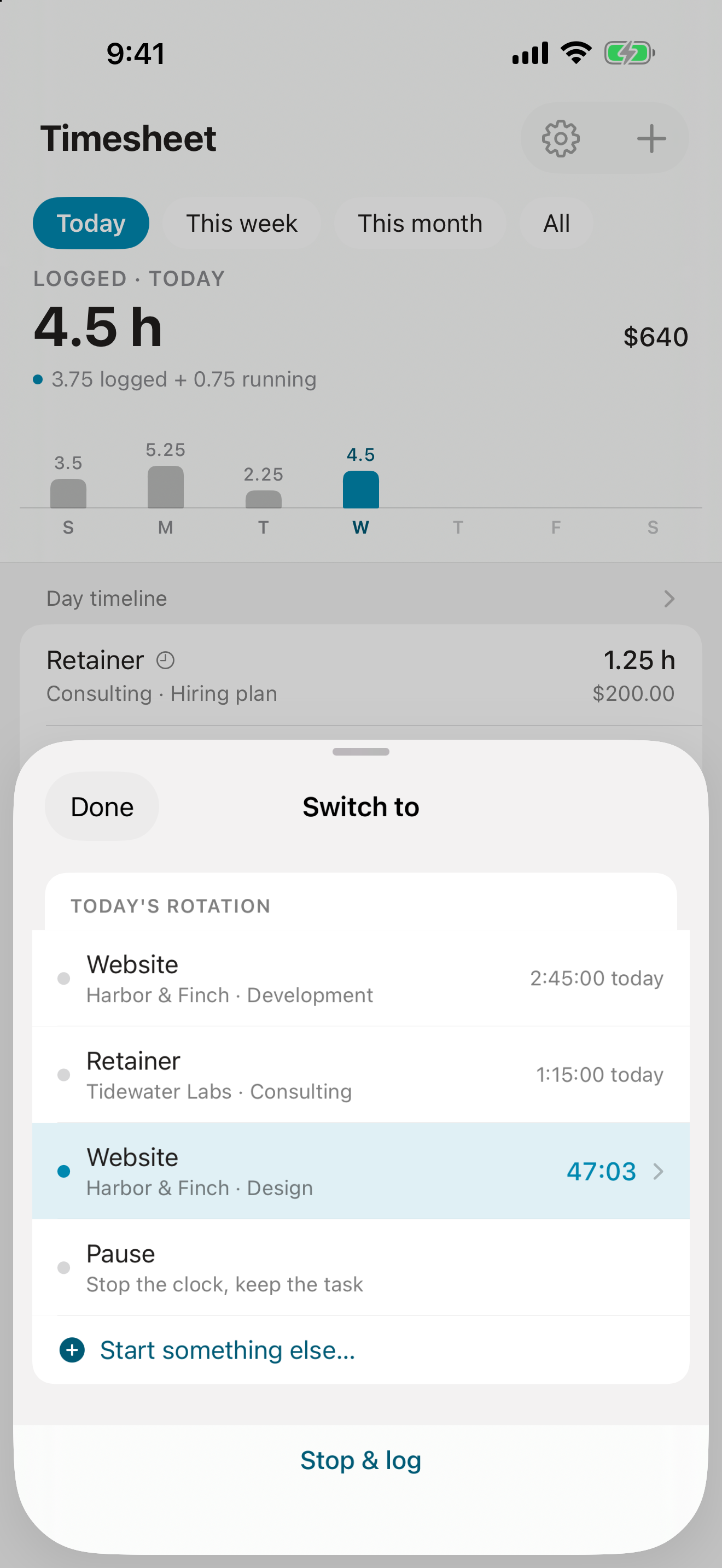
Switch sheet: today's rotation of tasks with the time on each, ready to switch with one tap

Switch Tasks

One tap, not a minute lost.
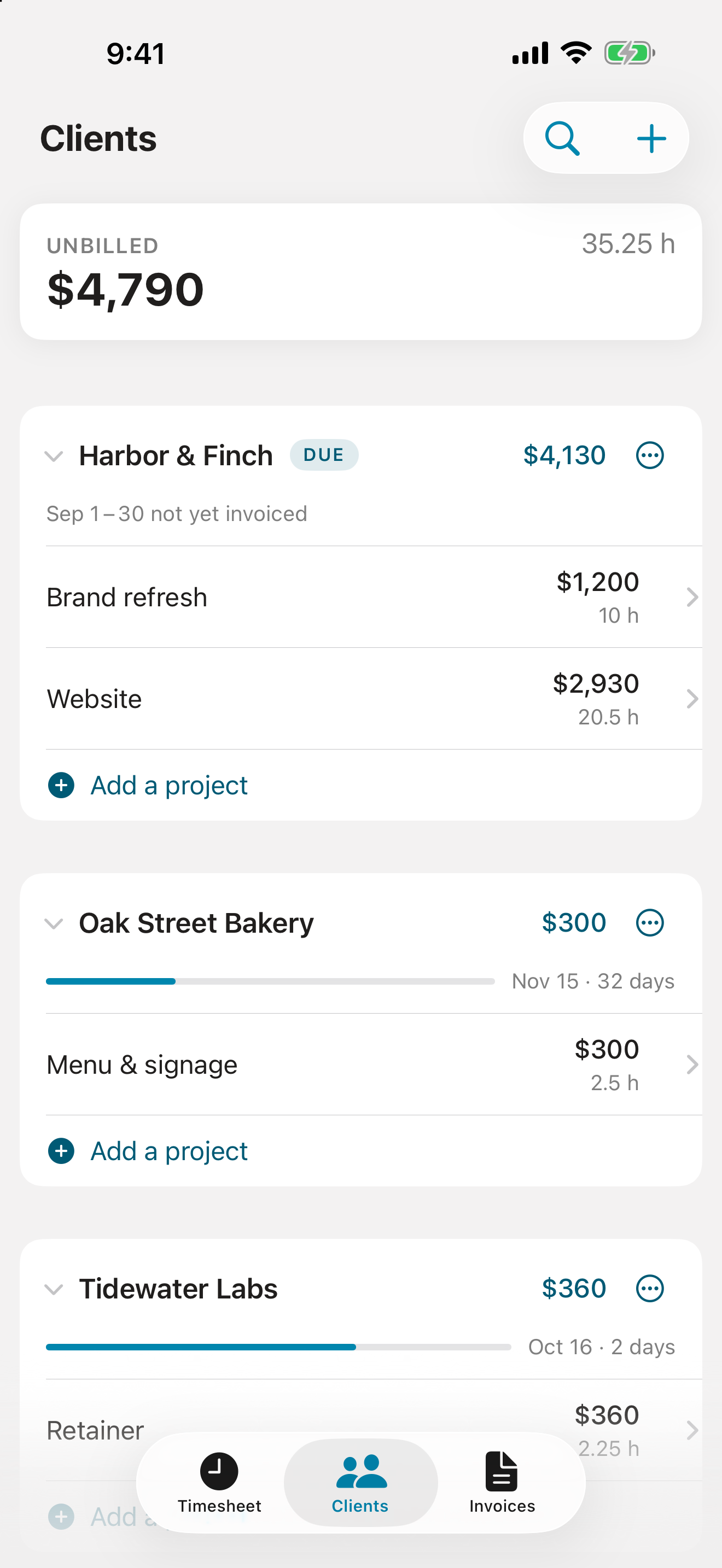
Clients: $4,790 unbilled across three clients, each with its projects, unbilled amounts, and next invoice date

Your Clients

Who owes you what, and when.
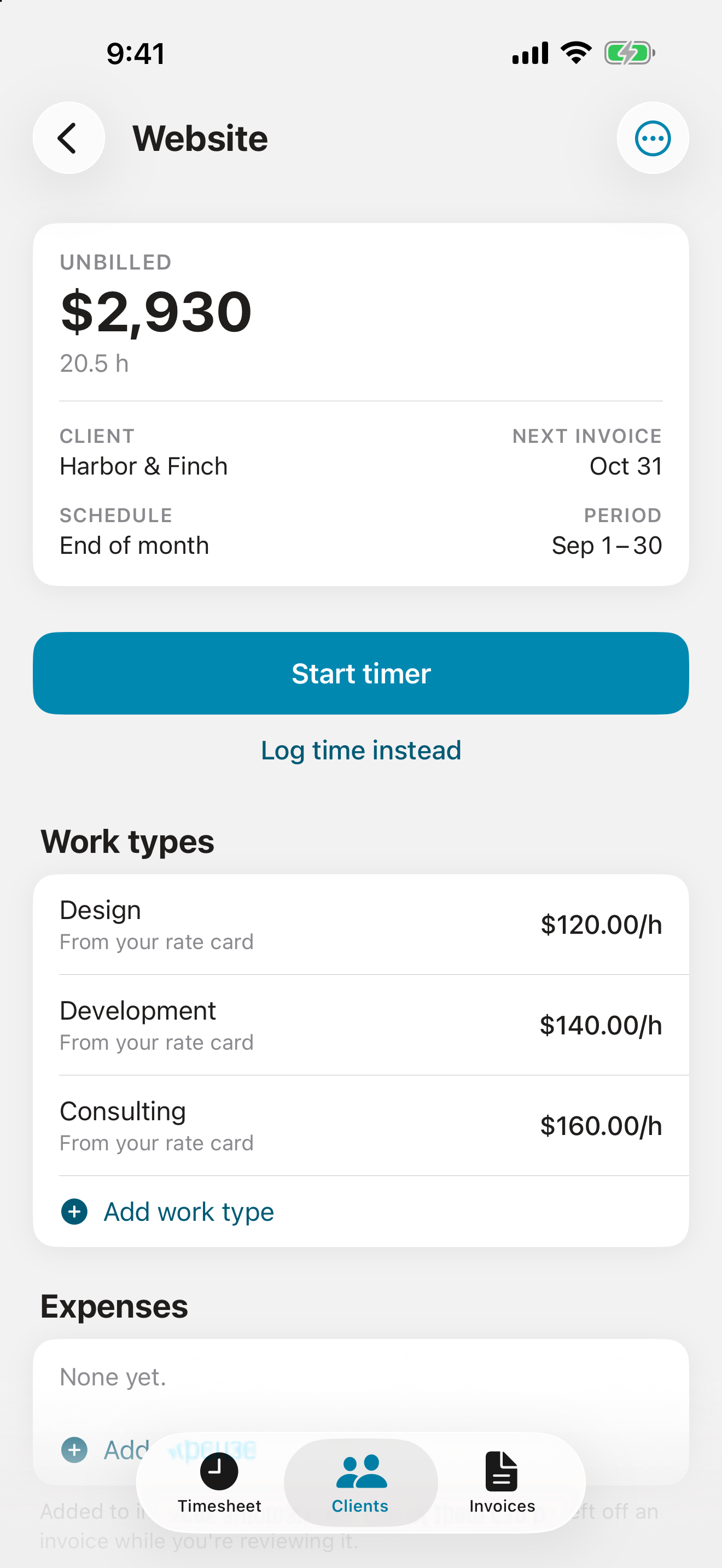
Project screen: unbilled total, next invoice date, and work types priced from the rate card

Projects and Rates

Priced from your rate card.
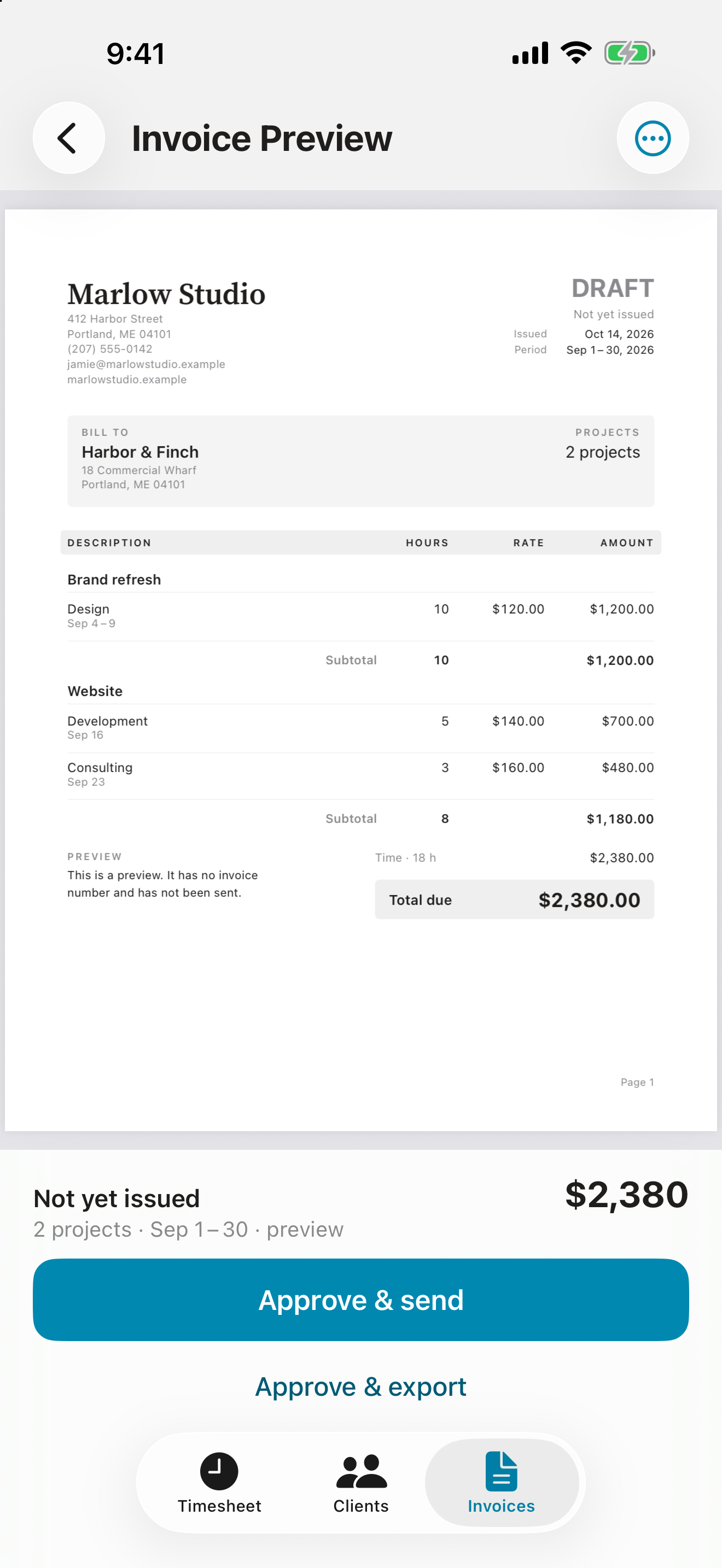
Invoice preview: a two-project invoice for $2,380 on the business letterhead, ready to approve and send

The Invoice

Built from the hours, in a tap.
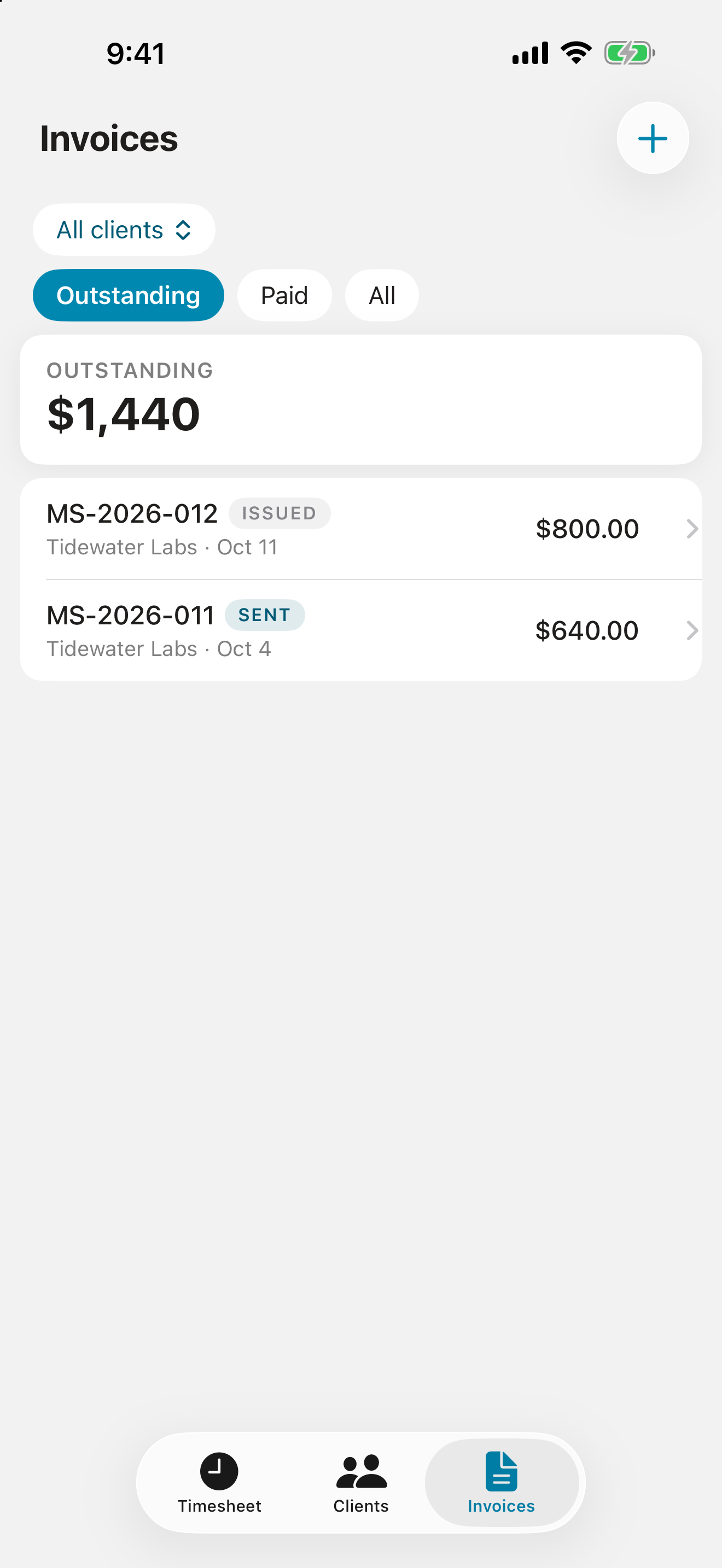
Invoices: $1,440 outstanding, with each invoice marked issued or sent

Follow Up

Sent, paid, and overdue.

How it works

Set up once. After that, the work you do is the invoice you send.

1

Set your rates once

Your rate card holds what you charge for each kind of work. Override it for a client, or for a single project, and everything you haven't overridden follows along on its own.

2

Track the time

Start a timer and it keeps counting with the app closed, on the Lock Screen and in the Dynamic Island. Switch tasks with one tap, or write the hours down afterwards.

3

Invoice the period

Each client has a billing schedule, so Hobbs knows the period. It gathers the unbilled time and expenses, rounds and prices them, and lays out the PDF on your letterhead.

4

Send it, and get paid

Every invoice is a PDF: email it from your own account in a tap, or AirDrop it, save it, or send it however you like. Hobbs tracks what's issued, sent, paid, and overdue, and learns how long each client usually takes to pay.

Invoices that add up

An invoice is a promise about money. Hobbs is careful with the details that make one right.

Every row shows its math

Hours times rate, rounded to the cent as the row is built, so the page adds up in your client's calculator. Choose a line per entry, per work type, or per day, client by client.

Rounding you can see

Pick an increment once. A task rounds once a day, from all of its time, so a pause or a switch never changes what bills, and the editor shows worked and billed side by side.

Approved means final

Approving an invoice freezes it, so a new rate or a new address never rewrites one you've sent. Numbers are never reused, and deleting an invoice puts its time back as unbilled, never lost.

A nudge on send day

Turn on reminders and Hobbs tells you on the day a client's invoice is due to go out, at a time you pick. It names the client and the period, never the amount, since it shows on your Lock Screen.

One billing cycle free. Then pay once.

No subscription, no trial clock. Your first invoice is free whenever you send it, so you see what Hobbs does on real work before you pay anything.

Try it on real work
Free

Track your time and send your first invoice, start to finish, whenever you're ready. That's a whole billing cycle to decide with: two weeks if you bill twice a month, a month if you bill monthly.

Unlimited invoicing
Pay once

One in-app purchase, not a subscription, and nothing renews. Family Sharing is included.

Hobbs launches on the US App Store.

Your books stay yours

You're trusted with your clients' names and email addresses. Hobbs keeps them where you keep them, and nowhere else.

In your own iCloud

Clients, rates, hours, and invoices live on your iPhone and in your own private iCloud, syncing across your devices with no account to create. Possisoft has no server and can't see any of it.

Sent by you, your way

Every invoice is a PDF. Email it from your own address through Apple's Mail composer, or AirDrop it, save it to Files, or send it any way you like. It always goes from you: Hobbs never sends email by itself.

A backup you can read

Export everything as one file of plain, readable text that stays useful with or without Hobbs. The only data the app shares is anonymous usage stats, off with one switch. See the privacy policy.

Frequently asked questions

What it costs, where your data lives, and how the numbers are worked out.

How much does Hobbs cost?

Hobbs is free to download, and your first invoice is free, whenever you send it, so you can try it on a full billing cycle of real work. After that, unlimited invoicing is a one-time purchase. It's not a subscription, nothing renews, and Family Sharing is included.

Where is my data stored? Can Possisoft see my clients?

Everything you enter, including your business details, your clients and their email addresses, projects, rates, time entries, expenses, and invoices, is stored on your iPhone and in your own private iCloud database, under your Apple Account. Possisoft has no server and no account system, and can't see any of it. The full details are in the privacy policy.

How are invoices sent?

Your choice. Every invoice is a PDF. Send opens Apple's Mail composer with the PDF attached, the client's addresses filled in, and a standard message ready to go from your own mail account; Hobbs never sends email on its own. Or export the PDF through the share sheet and send it however you prefer: AirDrop it to your Mac, save it to Files or iCloud Drive, or upload it to a client's portal. Either way Hobbs keeps track: a mailed invoice is marked Sent when Mail reports it went, and an exported one when you mark it sent and say which day.

Does Hobbs sync between my devices?

Yes. Your data syncs across devices signed into the same Apple Account through your own private iCloud, automatically, with no account to create. You can also export everything as a single backup file from Settings, Backup.

How does Hobbs round my time?

You choose a rounding increment once, in Settings: exact, or 1, 6, 15, or 30 minutes, or a full hour. A task's hours round once per day, from everything you worked on it that day, so a pause or a switch never changes what bills. The entry editor shows the worked figure and the billed figure side by side.

Can I use Hobbs outside the United States?

Not yet. The first version of Hobbs is available on the US App Store only. English-speaking markets such as Canada, the UK, Ireland, Australia, and New Zealand are being considered for a later version.

Why is it called Hobbs?

A Hobbs meter is the hour meter on an aircraft's instrument panel. It counts the hours the engine has run, in tenths, and it's what a rented aircraft is billed from. Hobbs does the same for your work: it counts the hours you bill. And the meter reads 109.9, a nod to the 1099, the US tax form contractors receive from the clients who pay them.

Log the hours.
Send the invoice.

Coming soon to the App Store for iPhone. Your first invoice is on us.

Coming soon to the App Store