Swap the cardio.
Keep the stimulus.

Equal-effort conversions for every erg in the gym.

The whiteboard says row 1,000 m, and every rower in the place is taken. ErgSwap turns the piece into the equal-effort equivalent on whatever erg is free, using CrossFit's own published conversion charts.

Coming soon to the App Store

Programmed for one machine,
stuck with another?

Every erg measures work. That is what makes the swap possible.

Your knee isn't up to running today, the ergs you need are all tied up, or your gym simply doesn't own a SkiErg. ErgSwap takes the piece as it was written, and gives you the equivalent on the equipment in front of you: same effort, same time domain, no scratch paper.

One number in. The whole gym out.

Pick the machine the workout was written for, enter the amount, and every erg you own is listed underneath, each in the units its own console displays.
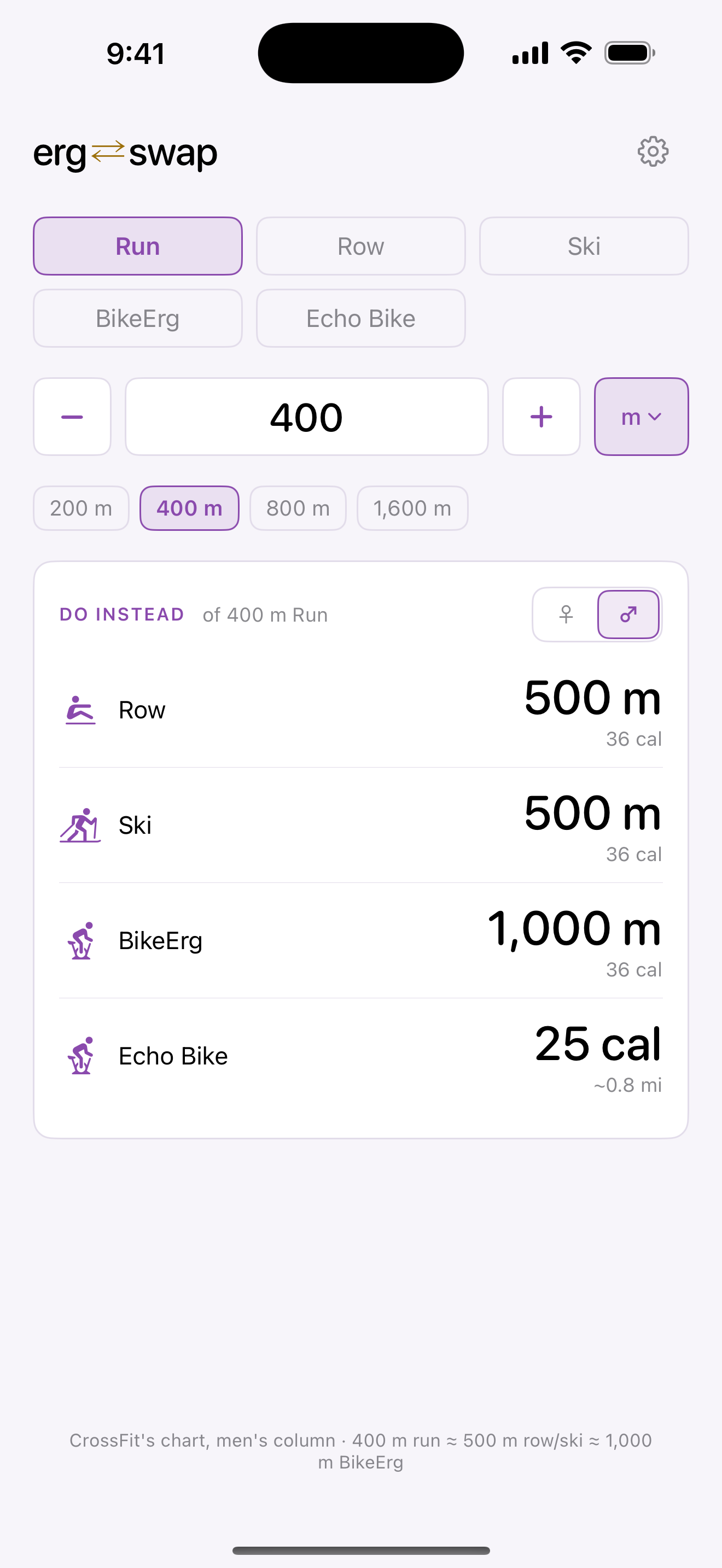
ErgSwap converter: a programmed 400 m run shown as 500 m row, 500 m ski, 1,000 m BikeErg, and 25 cal on the Echo Bike

Swap the Distance

400 m run becomes 500 m row or 1,000 m BikeErg.

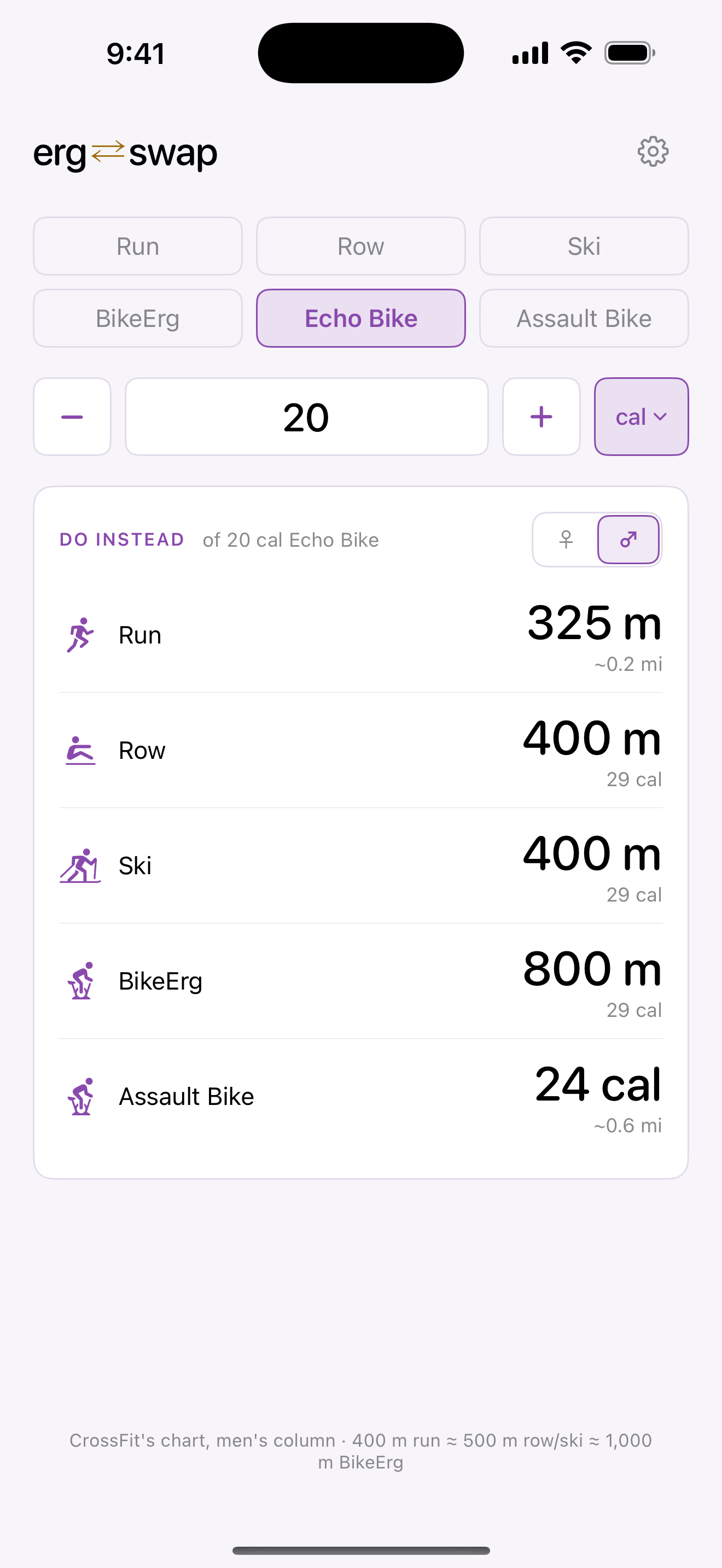
ErgSwap converting 20 calories on the Echo Bike into 325 m run, 400 m row, 400 m ski, 800 m BikeErg, and 24 cal on the Assault Bike

Or the Calories

Air bikes read in calories, so that's what they convert from.

Air bike results lead with calories, because that is how air bikes are almost always programmed, with the mileage its console will show sitting underneath. The ♀/♂ toggle on the results card switches every number between CrossFit's two published columns at once.

Three taps, standing at the machine.

Quick enough to sort out with the clock already running.

  1. Pick the machine

    Choose the cardio the workout was actually written for. Run, row, ski, BikeErg, Echo, or Assault.

  2. Enter the amount

    Type the distance or calories, or tap one of your saved presets for the pieces you see most often.

  3. Read the swap

    Every machine you own is listed with its equivalent, in the units that machine's console will show you.

Built around the gear affiliates actually own.

Tell ErgSwap what's in your gym once, and the results list only ever shows equipment you can walk to.

Where the numbers come from.

ErgSwap follows the machine conversion charts published by CrossFit Affiliate Programming. Those charts are piecewise rather than a single flat ratio: longer pieces compress toward running, so a 400 m run and a 5 k run do not scale the same way. ErgSwap reproduces that by default, and a Settings toggle switches to flat ratios if you prefer a number you can predict in your head.

The charts also publish separate columns for women and men, and the gap is real: a 400 m run is 400 m of rowing on one column and 500 m on the other. ErgSwap shows one column at a time with a toggle right on the results card, so a coach fielding questions from a mixed class can flip between them without leaving the screen.

Conversions target equal effort and time domain. They are a starting point for scaling a workout, not a lab measurement.

It works fine in airplane mode.

There's no account to create and nothing to sign in to. Your equipment list, presets, and preferences live on your iPhone, and every conversion is worked out on the device, so a gym with no bars in the back corner is no different from one with five.

ErgSwap also collects nothing at all. No analytics, no usage tracking, no advertising identifiers, nothing sent anywhere. Its App Store listing reads "Data Not Collected", and that is the whole story.

Read the full privacy policy, or get in touch with a question.